
Z0mIK
Z0mIK Discord Bot
# Z0mIK — your server, Wrapped
Z0mIK turns your server's activity into beautiful recap cards that people actually want to share — and handles moderation, logs and tickets in the same bot.
Privacy first: Z0mIK only counts numbers (messages, voice minutes, reactions). It never requests or stores message content.
## 🎴 Wrapped recaps
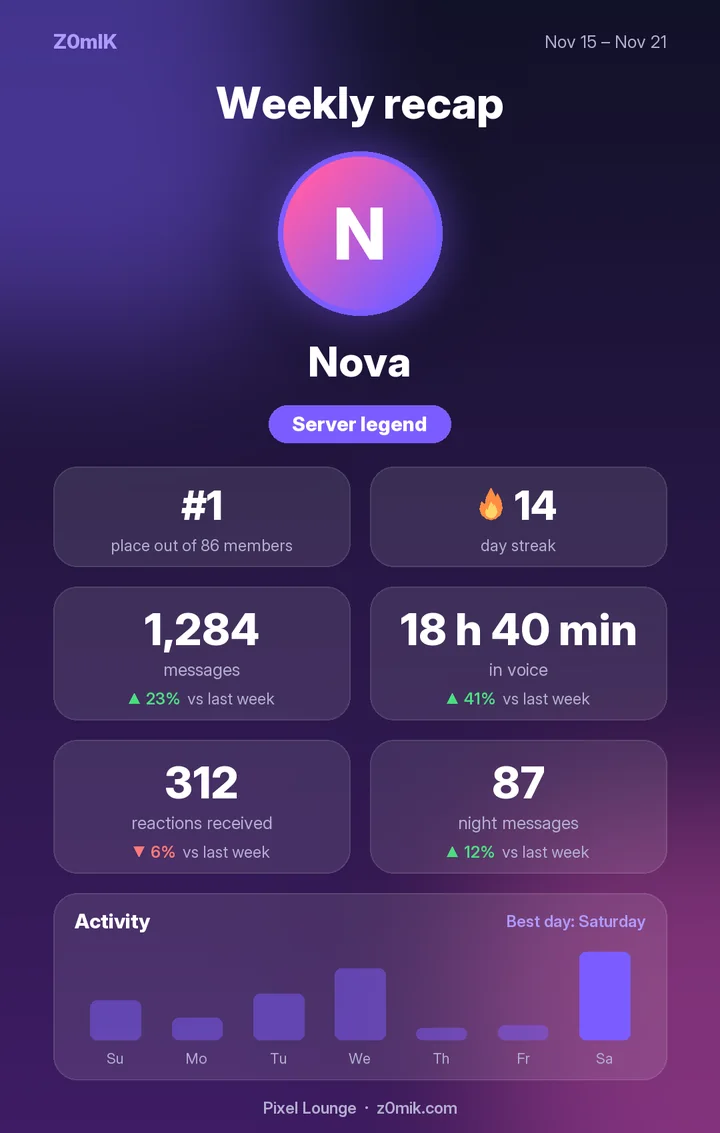
- /wrapped — a personal card for the week, month or year: messages, voice time, reactions, night messages, a title and server rank
- Growth vs last period (▲ 23% vs last week), a 🔥 day streak and an activity chart with your best day
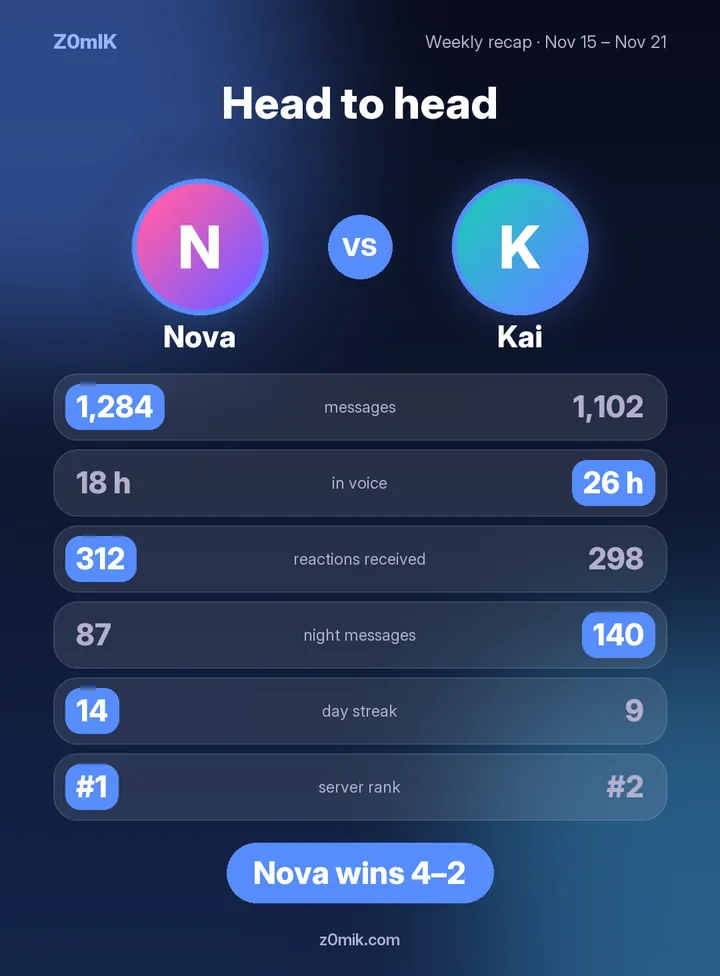
- /compare @friend — head to head on 6 stats, with a winner
- Story format (9:16) — /wrapped format: Story for Instagram / TikTok stories
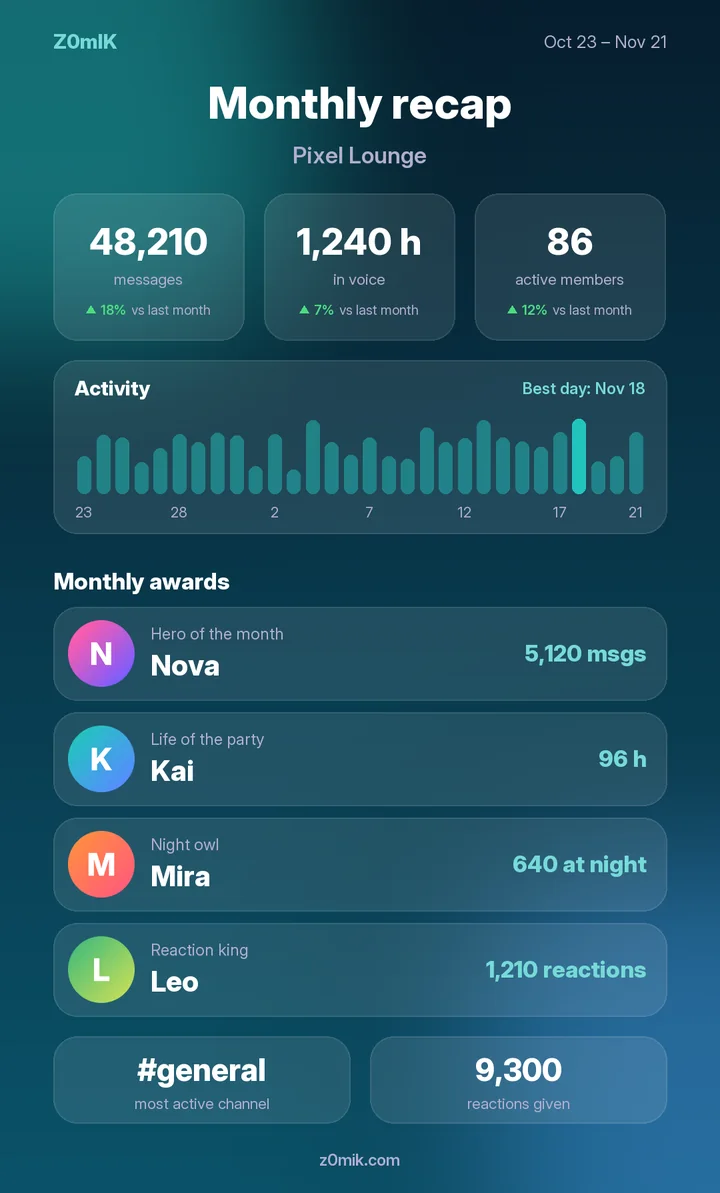
- /serverwrapped — totals, award winners, the busiest channel and the favourite reaction
- 7 themes, custom colours and background images
- Automatic recaps posted on the day and hour you choose
## 🏆 Leaderboard, achievements & award roles
- /top — a top-10 leaderboard card by messages, voice or reactions, for the week, month or year
- Achievements — the bot celebrates 1,000 messages, 100 hours in voice, a 30-day streak and more
- /profile — your all-time profile card with badges, best streak and current awards
- /achievements — your unlocked badges and your next goals
- Award roles — "Hero of the week", "Life of the party", "Night owl" and "Reaction king" move to the new winners automatically
## 🛡️ Moderation
Ban, kick, warnings and a role-based mute that keeps people in voice (they can't type, but can still talk). Every action gets a case number and a log entry; /history shows a member's record.
## 🚨 Auto moderation
Built on Discord's native AutoMod: invites, links, spam, mass mentions, profanity, sexual content, slurs and your own word list — with exempt roles and channels.
## 📜 Logs
One command creates a private log category. Joins/leaves, deleted and edited messages, voice, members, roles, server changes, bans — each type can go to its own channel.
## 🎫 Tickets
A button panel opens private support channels, with a support role, claiming, adding members and a closed-ticket log.
## 👋 Welcome & roles
Welcome messages (plain or embed), autoroles for newcomers and reaction roles.
## ⚙️ Dashboard
Set everything up at z0mik.com or with commands — the settings are shared. Turn off whole modules or single commands.
## 🌍 7 languages
English, Russian, Ukrainian, German, Spanish, Portuguese and Turkish — the bot replies in your server's language, and the command menu follows each user's Discord language.
---
Free. No Administrator permission needed.
Website · Commands · Support server · Privacy
Reviews
No reviews yet.